Security & upgrades · October 21, 2026 · 8 min read
PHP security and upgrades in 2026: what’s broken, what’s end-of-life, and how to fix it
PHP2Shell is a pair of critical flaws in PHP itself that can let an attacker run code on a web server without logging in. Attackers are already trying them.
Kaustav Acharya
Founder
On this page — 10 sections
- 1The short answer
- 2Which PHP versions are supported in 2026?
- 3What is PHP2Shell (CVE-2026-109618 and CVE-2026-109619)?
- 4Why does an old PHP version put a business at risk?
- 5How do I check which PHP version my site runs?
- 6How to fix it: a step-by-step PHP upgrade plan
- 7What breaks when you upgrade PHP?
- 8How artisanal software can help
- 9Frequently asked questions
- 10Sources
In short
The short answer
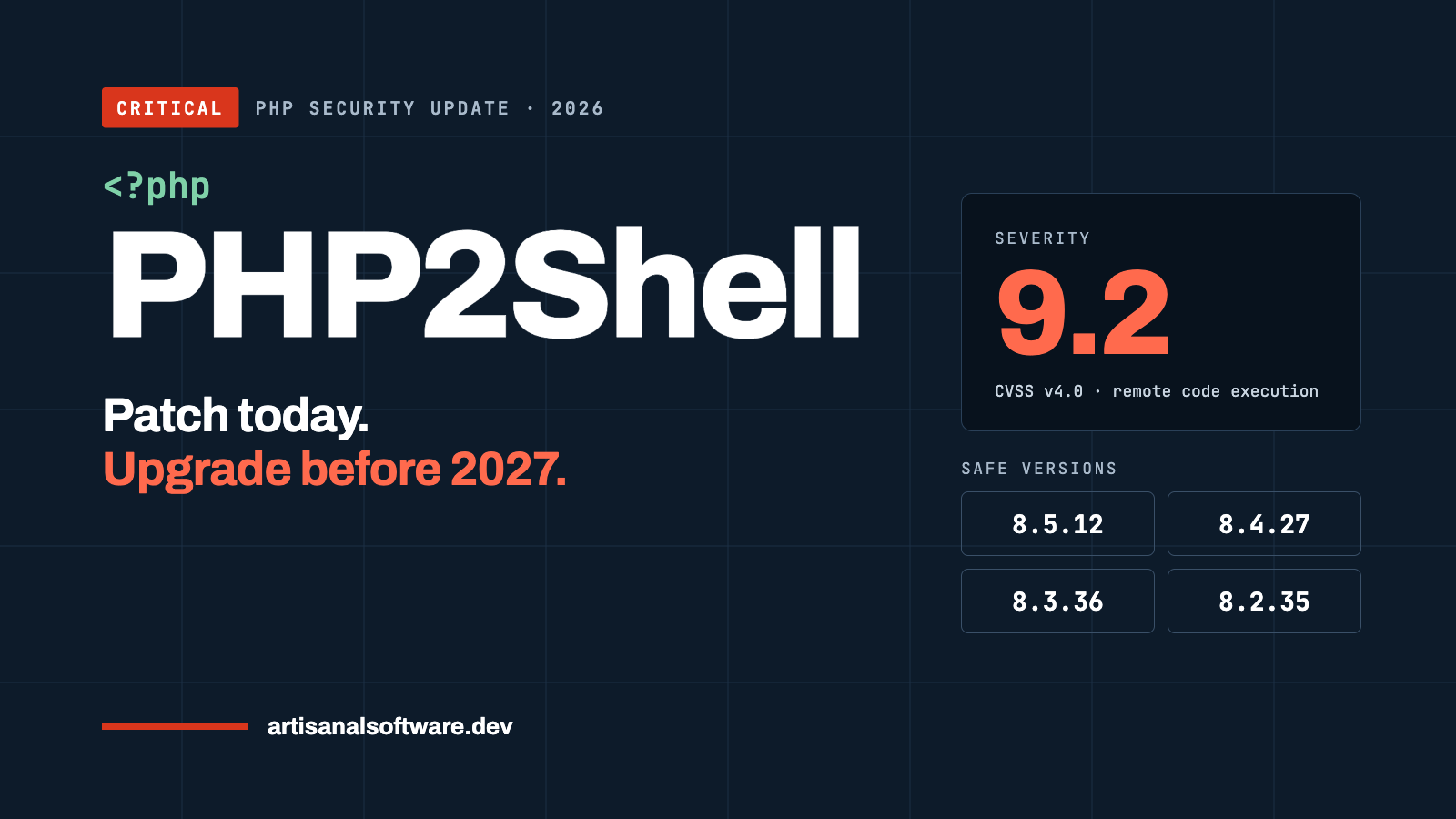
If your website runs on PHP, update it today. On October 21, 2026, PHP released emergency fixes for two critical remote code execution flaws, CVE-2026-109618 and CVE-2026-109619, nicknamed PHP2Shell. Both score 9.2 out of 10 (CVSS v4.0), and attackers are already trying to exploit them.
- Safe versions: PHP 8.5.12, 8.4.27, 8.3.36 or 8.2.35 (or newer).
- Unsafe: any earlier 8.2–8.5 release, and every copy of PHP 8.1 or older.
- Coming next: PHP 8.2 stops receiving security fixes on December 31, 2026. Sites still on 8.2 should plan a move to PHP 8.4 or 8.5 now.
WordPress, WooCommerce, Laravel, Drupal and most shared hosting run on PHP, so this affects most business websites.
Versions
Which PHP versions are supported in 2026?
Only four PHP branches receive security fixes today: 8.2, 8.3, 8.4 and 8.5. Each branch gets two years of active support and two more years of security-only fixes, then it reaches end of life (php.net).
| PHP version | Released | Bug fixes until | Security fixes until | PHP2Shell fix | What to do |
|---|---|---|---|---|---|
| 8.5 | Nov 20, 2025 | Dec 31, 2027 | Dec 31, 2029 | 8.5.12 | Best choice for new builds |
| 8.4 | Nov 21, 2024 | Dec 31, 2026 | Dec 31, 2028 | 8.4.27 | Safe, stable upgrade target |
| 8.3 | Nov 23, 2023 | Ended Dec 31, 2025 | Dec 31, 2027 | 8.3.36 | Patch now, plan next move |
| 8.2 | Dec 8, 2022 | Ended Dec 31, 2024 | Dec 31, 2026 | 8.2.35 | Patch now, upgrade before year end |
| 8.1 and older | — | Ended | Ended (8.1 on Dec 31, 2025) | No official release | Upgrade immediately |
PHP 8.1, 8.0, 7.4 and older get no official fixes. For PHP2Shell only, the PHP team published minimal source backports for 7.4, 8.0 and 8.1, meant for people who compile PHP themselves (Help Net Security). That is a stopgap, not a plan.
The flaw
What is PHP2Shell (CVE-2026-109618 and CVE-2026-109619)?
PHP2Shell is a pair of critical flaws in the PHP engine itself that can let an attacker run code on a web server without logging in. Because the bug is in PHP, not in your site’s code, even a well-built website is exposed until the server’s PHP is updated (The Hacker News).
| CVE | What goes wrong | Severity |
|---|---|---|
| CVE-2026-109618 | An out-of-memory error can leave request data half set up, and cleanup then treats it as valid | Critical, CVSS 9.2 |
| CVE-2026-109619 | Internal request data can outlive its memory and be reused by the next request on the same worker | Critical, CVSS 9.2 |
Who is affected: every PHP setup that serves web pages, including PHP-FPM, Apache mod_php, php-cgi, FrankenPHP and LiteSpeed. Apache mod_php is the highest risk. The flaws reach back as far as PHP 5.4.
What an attacker can get: code execution as the web server user, plus the ability to read worker memory, which can hold passwords, login tokens, API keys and payment-integration secrets from other visitors’ requests.
Is it being exploited? Cloudflare reported early exploit attempts on release day and pushed firewall rules to all customers. As of October 21, no successful break-in had been publicly confirmed. Some organizations took services offline as a precaution, and the UK NCSC advised taking unpatchable systems offline (Help Net Security).
The risk
Why does an old PHP version put a business at risk?
An outdated PHP version turns one public bug into a direct path to your customer data. Old versions also block the plugin and framework updates that fix everything else.
- No more patches. After end of life, new flaws like PHP2Shell stay open unless you pay a vendor for backports or upgrade.
- Leaked secrets. Memory-reading bugs can expose payment keys, CRM and email API tokens, and admin logins stored on the server.
- Compliance. PCI DSS expects critical security patches within one month. Unsupported software is hard to defend in an audit or to a cyber insurer.
- Plugin lock-in. New releases of WordPress plugins, WooCommerce and Laravel drop old PHP versions, so a stale server also freezes the rest of your stack.
- Lost leads and rankings. A hacked site can be flagged by Google, lose ad approval, or quietly redirect visitors. Newer PHP versions are also faster, which helps Core Web Vitals.
Updating WordPress or Laravel does not update PHP. The PHP runtime comes from your server, host or container image.
Check
How do I check which PHP version my site runs?
You can find your exact PHP version in under two minutes. You need the full number, such as 8.3.36, not just 8.3.
- WordPress: go to Tools → Site Health → Info → Server.
- cPanel or Plesk: open “Select PHP Version” or “PHP Settings”.
- Managed hosts (Cloudways, WP Engine, Kinsta, GoDaddy): check the server or application settings page, or the host’s PHP2Shell status notice.
- Command line: run
php -v. Note that the command-line PHP can differ from the PHP that serves your website. - Server packages: on Debian, Ubuntu or Red Hat, a patched package may keep an older-looking version number. Check the package changelog for the two CVE numbers instead.
Fix
How to fix it: a step-by-step PHP upgrade plan
Patch first, then upgrade. Patching closes PHP2Shell today; upgrading keeps you covered past December 31, 2026.
Today: patch PHP2Shell
- Update to PHP 8.5.12, 8.4.27, 8.3.36 or 8.2.35, or your vendor’s package that lists both CVEs as fixed.
- Restart PHP-FPM, Apache and any long-running PHP workers. The fix does nothing until the old process is gone.
- Re-check your
memory_limitandpost_max_size. The fix adds a hard memory cap, and hitting it now ends the process. - If you use the volunteer Remi repository, switch to your distribution’s packages or build from source; Remi did not have updates on release day.
- Put the site behind a web application firewall such as Cloudflare. It is a stopgap, not a fix.
If you cannot update yet (temporary only)
- For CVE-2026-109618: set
memory_limit=-1at the server level so apps cannot override it, keeppost_max_sizelow, and cap request size at the web server or proxy. - For CVE-2026-109619: set
session.upload_progress.enabled=0and restart every worker; on PHP 8.5 also setfatal_error_backtraces=0. - Hiding errors does not help. No setting fully replaces the update (The Hacker News).
After patching: look for signs of a break-in
- Unusual multipart requests followed by memory-limit errors or repeated HTTP 500s.
- Very large PHPSESSID cookies in responses.
- PHP workers restarting with no clear reason.
- If anything looks off, rotate API keys, payment keys and admin passwords.
Next 30–60 days: leave PHP 8.2 and older behind
- Take an inventory: every site, server, plugin, theme and custom script.
- Clone the site to a staging server running PHP 8.4 or 8.5.
- Run a compatibility scan (PHPCompatibility for PHP_CodeSniffer, or Rector) and fix what it finds.
- Update plugins, themes and Composer packages to versions that support the new PHP.
- Test the money paths: forms, checkout, payment webhooks, CRM and email integrations.
- Switch production during a low-traffic window, keep a rollback ready, and monitor error logs for a week.
Upgrade
What breaks when you upgrade PHP?
Most upgrades from 8.x to 8.4 or 8.5 break on a handful of predictable issues, usually in older plugins or custom code. Moving from PHP 7.x is a bigger job.
| Coming from | Common problem | Typical fix |
|---|---|---|
| PHP 7.4 or older | Stricter errors, removed functions, string-to-number comparison changes | Full code review; often a plugin or library replacement |
| PHP 8.1 or older | Dynamic properties deprecated in 8.2 | Declare properties, or add the AllowDynamicProperties attribute |
| PHP 8.3 or older | Implicitly nullable parameters (Type $x = null) deprecated in 8.4 | Change to ?Type $x = null |
| Any version | Abandoned plugins or Composer packages that pin an old PHP | Update, replace or fork the package |
| Any version | New hard memory cap from the PHP2Shell fix | Tune memory_limit and post_max_size to real needs |
The official migration guides on php.net list every change per version.
Working with us
How artisanal software can help
We patch, upgrade and look after PHP websites so you can get back to running the business. Every engagement has a clear scope and a price agreed in writing before we start.
| Service | What you get | Timing |
|---|---|---|
| PHP2Shell emergency check | We confirm your exact PHP version, apply the fix or vendor package, restart workers, tune memory settings and check logs for warning signs | Same or next business day |
| PHP 8.4 / 8.5 upgrade | Staging copy, compatibility scan, plugin and code fixes, testing of forms, checkout and integrations, then a planned switch with rollback | Typically 1–3 weeks |
| Monthly care plan | Security and PHP updates applied as they ship, uptime checks and a set block of small changes each month | Month to month |
We work with WordPress, WooCommerce, Laravel and custom PHP, on hosts such as Cloudways and cPanel servers. We pay special attention to the parts that make you money: lead forms, payments, and connections to your CRM, phone and email tools.
Not sure where you stand? Send us your site address. We’ll tell you your PHP version, whether you’re exposed to PHP2Shell, and what it takes to fix it, in plain English.
FAQ
Frequently asked questions
What is PHP2Shell?
PHP2Shell is the name for two critical PHP flaws, CVE-2026-109618 and CVE-2026-109619, disclosed and patched on October 21, 2026. They can let an attacker run code on a web server without logging in.
Which PHP versions fix PHP2Shell?
PHP 8.5.12, 8.4.27, 8.3.36 and 8.2.35 fix both flaws. Any earlier release on those branches is vulnerable.
Is my WordPress site affected?
Yes, if its server runs an unpatched PHP version. Updating WordPress itself does not fix it; the PHP runtime on the server must be updated.
Does my hosting company patch PHP for me?
Many managed hosts patch automatically, but shared and self-managed servers often do not. Confirm the exact version in your hosting panel.
Is PHP 8.1 still supported?
No. PHP 8.1 stopped getting security fixes on December 31, 2025. Upgrade to PHP 8.4 or 8.5.
When does PHP 8.2 reach end of life?
PHP 8.2 stops receiving security fixes on December 31, 2026.
Which PHP version should I upgrade to in 2026?
PHP 8.4 or 8.5. PHP 8.5 is supported until December 31, 2029; PHP 8.4 until December 31, 2028.
Can I just change a setting instead of updating?
Only as a short stopgap. Settings like disabling session upload progress block some attack paths, but updating PHP is the only complete fix.
How long does a PHP upgrade take?
A patch takes minutes to hours. A version upgrade usually takes one to three weeks, mostly for testing plugins, forms and payments.
Sources
Sources
- PHP supported versions, php.net
- PHP2Shell: Critical PHP vulnerabilities patched, update now!, Help Net Security, Oct 21, 2026
- PHP Issues Emergency Patches for Two Critical PHP2Shell RCE Flaws, The Hacker News, Oct 21, 2026
- GHSA-w8hw-w9fx-j79w (CVE-2026-109618) and GHSA-6wmf-4rv5-p3rp (CVE-2026-109619), PHP security advisories
On this page
- 1The short answer
- 2Which PHP versions are supported in 2026?
- 3What is PHP2Shell (CVE-2026-109618 and CVE-2026-109619)?
- 4Why does an old PHP version put a business at risk?
- 5How do I check which PHP version my site runs?
- 6How to fix it: a step-by-step PHP upgrade plan
- 7What breaks when you upgrade PHP?
- 8How artisanal software can help
- 9Frequently asked questions
- 10Sources